
iOS Lock Screen Music Controls
Problem: Accidental actions being completed on the lock screen while listening to music.
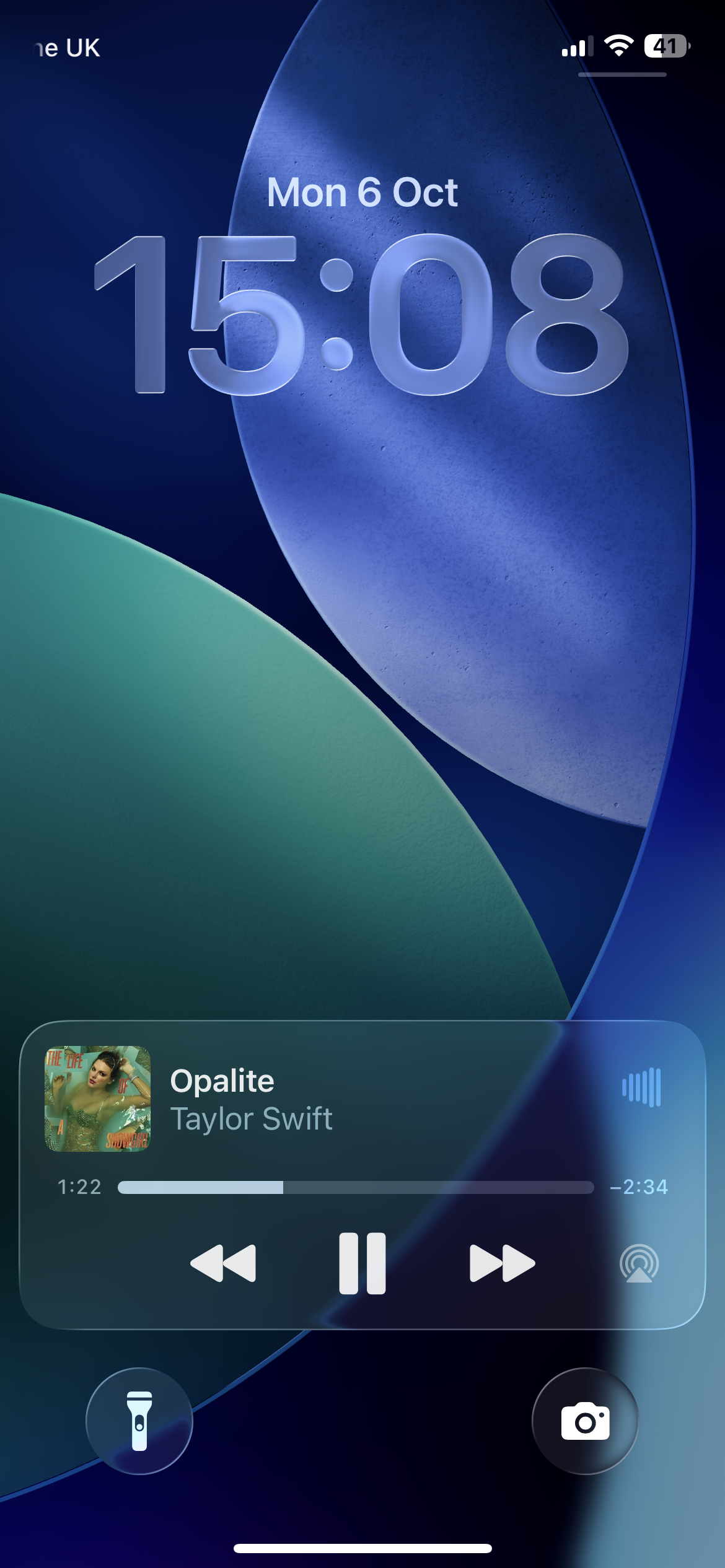
I redesigned the iOS lock screen music controls to reduce accidental skips, pauses, and song scrubbing taking inspiration from how Apple changes call interactions depending on whether the user is using the phone or not.
Empathise and Define
The iOS lock screen music controls are designed for quick access but often cause accidental inputs when users are walking, exercising or handling their phone. It is easy to accidentally skip, pause or scrub through a track. This disrupts playback and creates frustrations during simple interactions. The pain point highlights the need for more deliberate, error-resistant interaction design.
I observed this pain point in friends and family who reflected the frustration. This led to the creation of the following user story and problem statement:
“As an avid music listener, I want to be able to use my phone without accidentally disrupting playback.”
“Jake is a fan of music who needs music controls where he can’t accidentally skip a track or pause the music so he can listen to his music undisturbed.”
Moving into the ideate phase, my goal was to solve the question:
How might we design the lock screen music controls to reduce accidental interactions while keeping it quick and intuitive?
Ideate
Design Goals:
• Reduce accidental inputs
• Maintain fast access to playback controls
• Keep consistent with iOS visuals
Inspiration:
Adaptive interactions from iOS call design
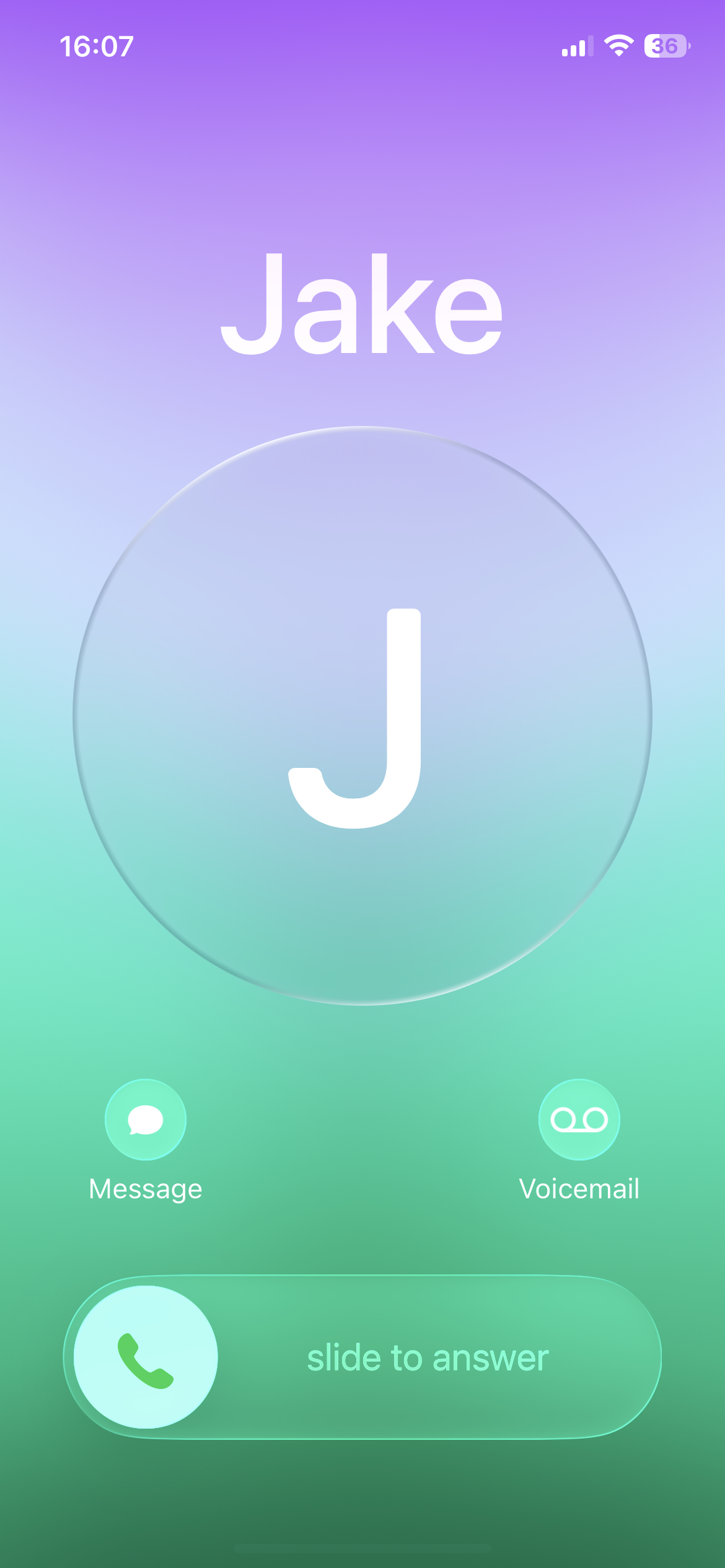

Locked Screen - swipe to answer
Unlocked Screen - buttons to answer
When device is unlocked, buttons to answer -> prioritises speed
When device is locked, slide to answer -> prevents accidental inputs
How it works:
Adaptive behaviour reduces unintended actions and ensures that key interactions require deliberate gestures. This prevents people from accidentally answering the phone when the device is in their pocket.
Why is this effective?
How does this relate to music controls?
The problem solved by the adaptive behaviours in iOS calls is similar to the problem I am solving.
The aim is to reduce the chance of accidentally skipping a track or pressing pause, like with the calls aiming to reduce the chance of accidentally answering the phone.
The redesign of the music controls needs to encourage intentional, error-resistant actions when the phone is locked.
Both ideas use a press and hold interaction to open the full notification and display the full range of interactions. They also both use a collapsible arrow to close the notification and hide the interactions.
Wireframes
Idea One

Idea one keeps the back, pause and skip buttons on the closed notification. When the notification opens, these buttons then become bigger and the progress of the track is also shown.
Idea Two
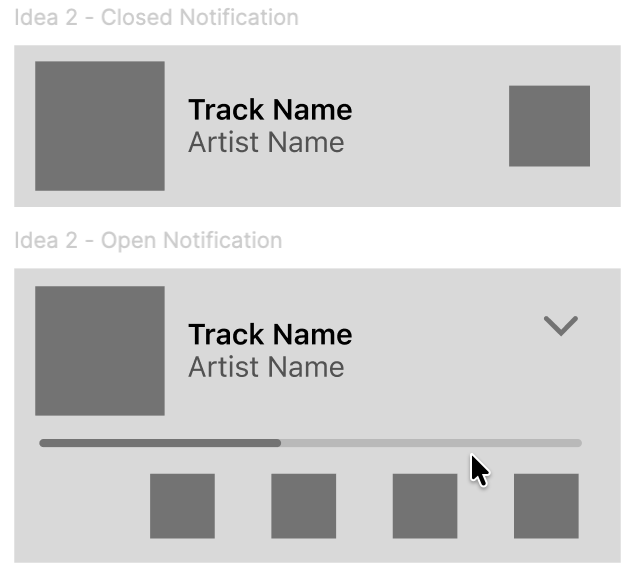
Idea two removes all buttons from the closed notification. When the notification opens, the back, pause and skip buttons as well as the progress of the track is shown.
Going into the prototype stage, I decided to use idea 2. This reduces the more unintentional interactions. Idea 1 still had some buttons on the closed notification which may still have been accidentally pressed when holding the phone.
The final design builds on intentional interactions to reduce the chance of accidental input during playback.
I maintained easy access to the controls and kept consistent with iOS visuals, hiding input buttons to reduce accidental input.
Prototype
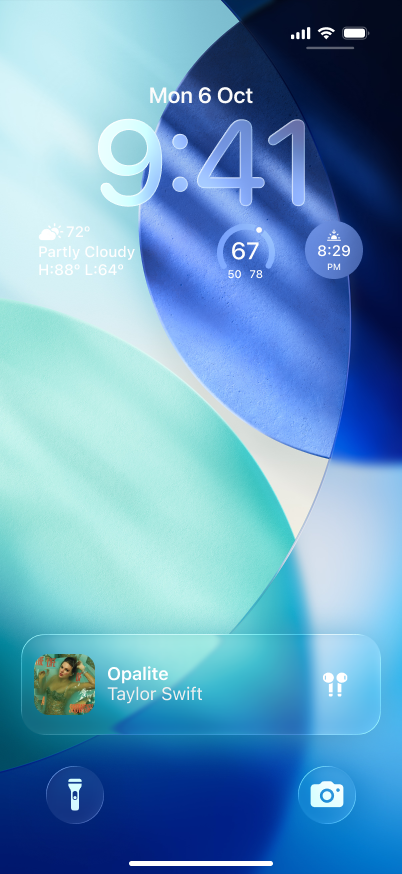
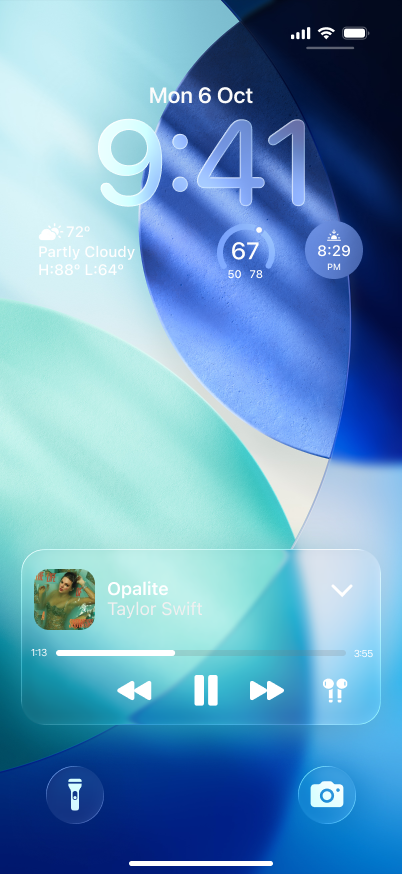
Closed State: The notification shows the current track and the artist name. Buttons are hidden to reduce accidental taps interrupting playback.
Open State: Tapping or pressing and holding expands the notification to reveal the full controls. Users can then intentionally interact with the buttons. Pressing the collapse button hides the controls.
Gestures: The new interaction mirrors the swipe to answer gesture used for phone calls requiring a deliberate action before playback can be controlled.
How it works:
Reduces unintentional actions such as skipping or pausing songs.
Retains iOS familiarity through consistent visuals and gestures.
Why it works:
Outcome and Reflection
If implemented, this redesign could reduce the frequency of accidental inputs and improve overall playback consistency. By drawing inspiration from Apple’s existing interactions for phone calls the design aligns with familiar mental models of the user while introducing visual feedback and intentional gestures.
Users would experience reduced interruptions while listening to music on the go, especially while walking or exercising where unintended taps are frequent. The design maintains Apple’s minimalist aesthetic while adding an extra layer of protection and subtly enhancing the experience of millions of iPhone users globally.
This project has taught me the importance of balancing usability and platform conventions. Studying Apple’s micro-interactions has helped me design a solution which felt consistent with iOS while addressing a real-world frustration. I was able to explore interaction design, instead of just visual design, learning its importance in preventing errors.
This project is an independent concept redesign for portfolio purposes only. It is not affiliated with, endorsed by, or associated with Apple Inc. in any way.